
Beschreibung
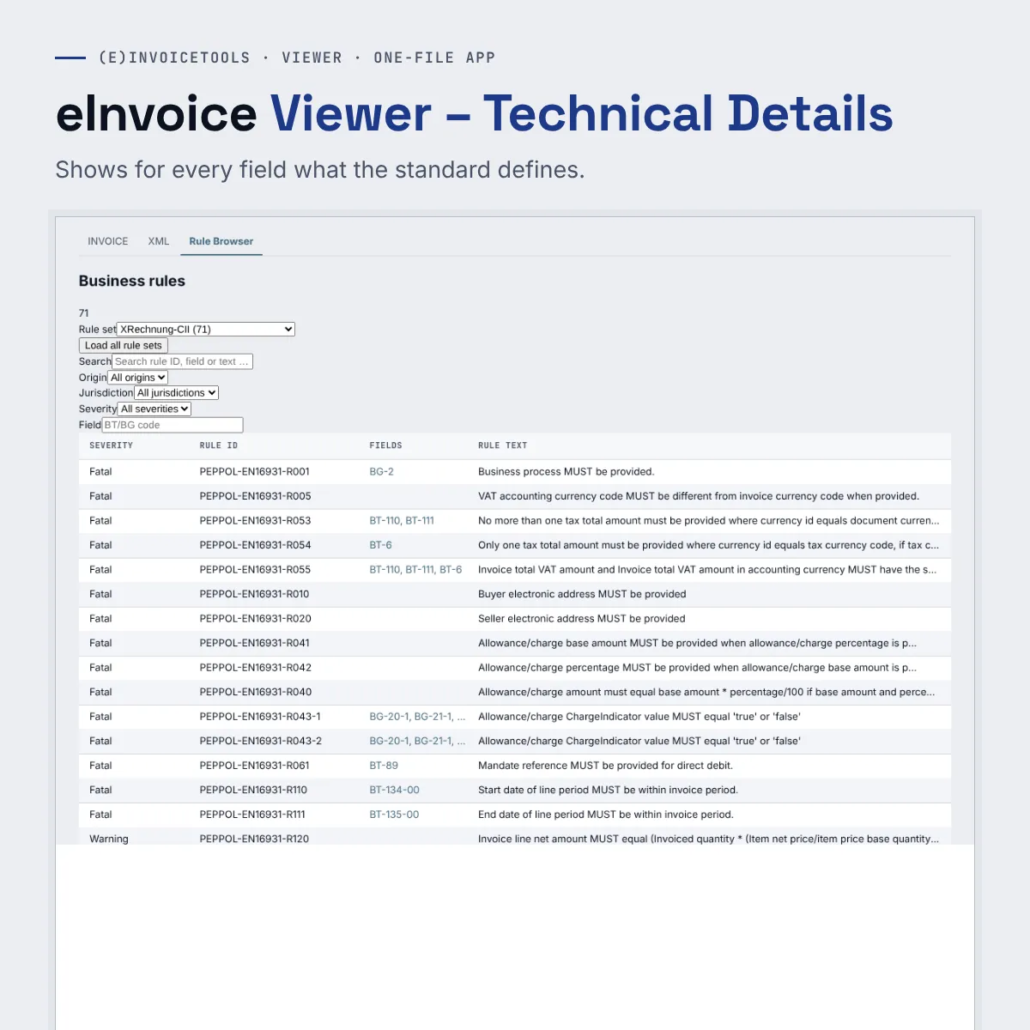
Technical Details turns the eInvoice Viewer into a reference work. Hover over a field number and you see how often the field may occur, which data type it has, which code list applies, which validation rules are attached to it and where it sits in the two XML forms CII and UBL.
The viewer then marks codes that are not in their list in red. Everything that is otherwise scattered across the standard, rule sets and lists is in one place.
What it does
- The developer who builds an invoice interface – She has to know which field is mandatory, which data type it has and where it belongs in the XML. She reads cardinality, data type and both paths right at the field.
- The integrator who clears up a rejected invoice – The customer’s validator reports a rule identifier. He reads the rule and sees in the viewer, at the field concerned, what the invoice actually contains.
- The reviewer in accounts payable – She sees a field marked red in the invoice with a note about the reference list. One click on the field number opens the list, and she tells the supplier the allowed code.
- The invoice stays in the browser – The details are built only from the data the viewer has already read from your file.
What you get
A ZIP file with the one-file app of the viewer and the add-on files of the extensions. You unpack it into a folder and open the HTML file with a double click. The paid edition has no daily limit, and you can pass it on by e-mail, put it on a USB stick or copy it to a network drive.
Try the demo first: eInvoice Viewer – Technical Details – demo.
Manual: read the manual.


Rezensionen
Es gibt noch keine Rezensionen.