
Beschreibung
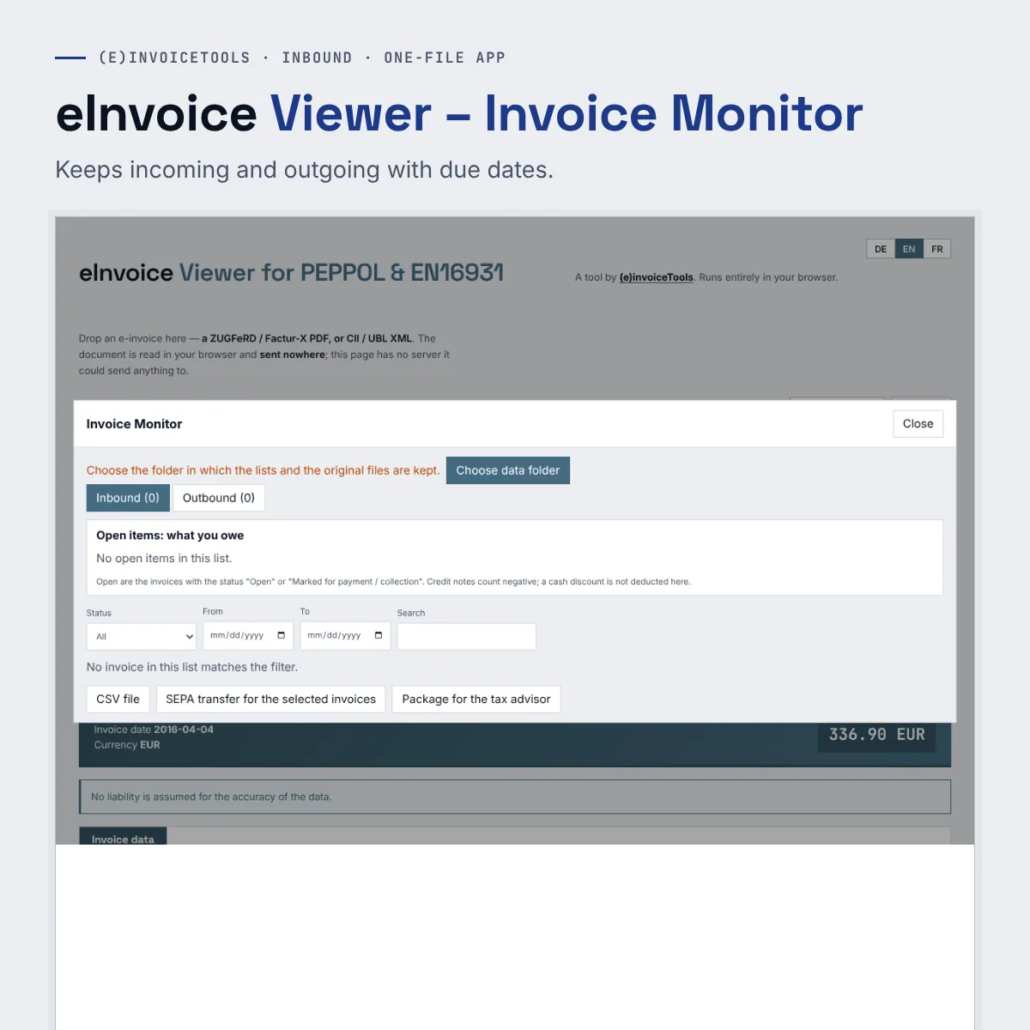
The Invoice Monitor adds two lists to the eInvoice Viewer: incoming for invoices your company has to pay, and outgoing for invoices your company has issued. Every invoice you open in the viewer goes into the right list with one click, with due date and status.
From the lists you create a SEPA credit transfer or a SEPA direct debit, a CSV file, a package for your tax adviser and a document package per invoice.
What it does
- The right list – The monitor tells from your company data whether an invoice belongs to incoming or outgoing.
- Duplicate invoices – When the same invoice arrives a second time, the monitor tells you before you pay twice.
- SEPA files – The invoices due become a SEPA credit transfer that you load into your banking.
- For your tax adviser – A package with all invoices of a period and an overview as a CSV file.
What you get
A ZIP file with the one-file app of the viewer and the add-on files of the extensions. You unpack it into a folder and open the HTML file with a double click. The paid edition has no daily limit, and you can pass it on by e-mail, put it on a USB stick or copy it to a network drive.
Try the demo first: eInvoice Viewer – Invoice Monitor – demo.
Manual: read the manual.



Rezensionen
Es gibt noch keine Rezensionen.